Workflows
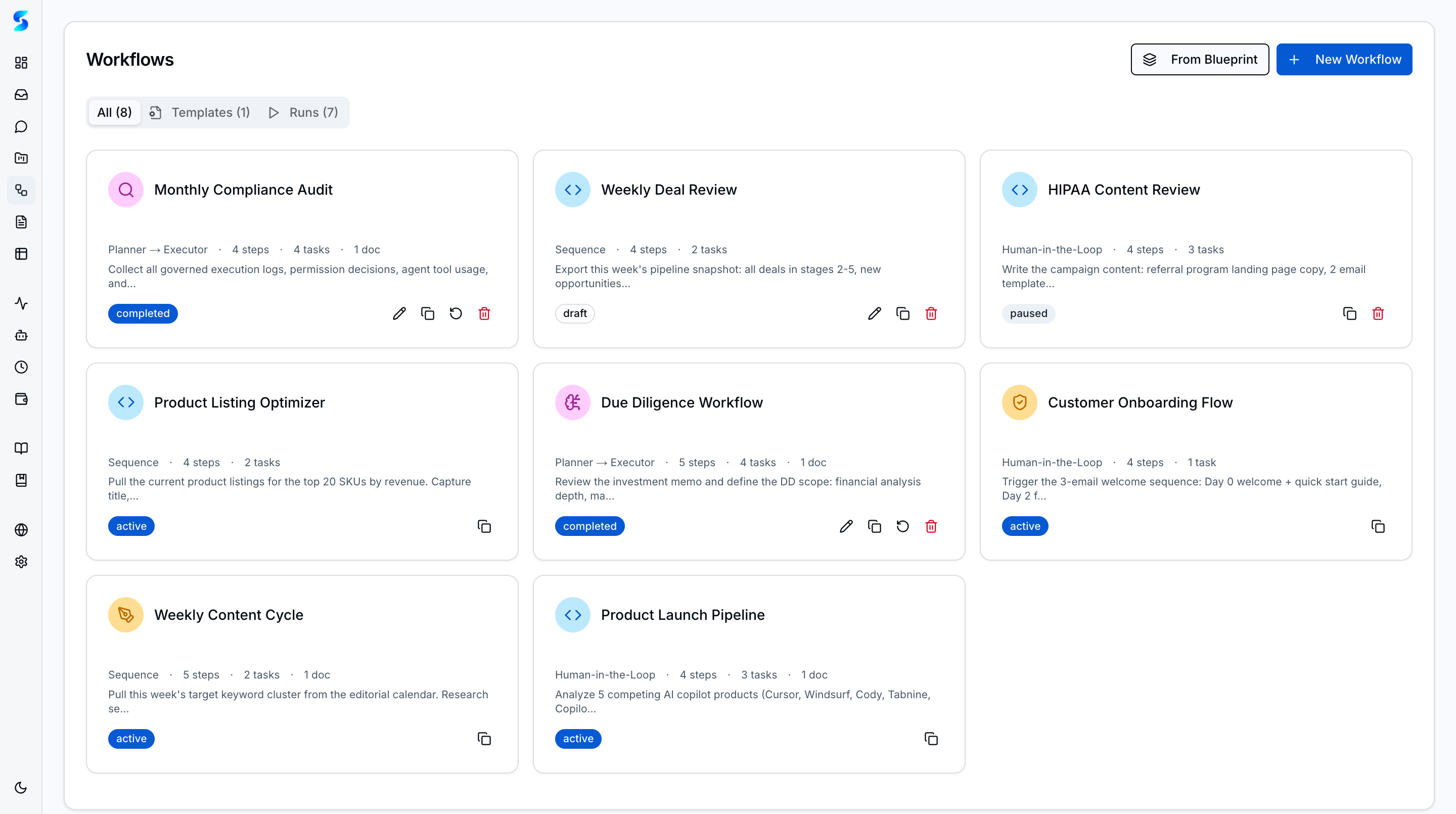
Workflows are how Stagent turns one-off tasks into repeatable, multi-step operational playbooks. The product now includes both a workflow library and a blueprint catalog for bootstrapping new flows quickly.
Workflow Patterns
1. Sequence
Tasks execute in strict order. Each step’s output feeds the next. Gate checks between steps ensure quality before proceeding.
Example: Research → Draft → Legal Review → Publish
2. Planner → Executor
A planning agent breaks down a goal into steps. Executor agents handle each step independently. Results roll up to the planner for synthesis.
Example: “Analyze Q1 financials” → identify data sources → extract metrics → generate report
3. Human-in-the-Loop Checkpoint
Agent executes autonomously until it reaches a defined checkpoint, then pauses for human approval before continuing.
Example: Draft client email → human approves → send email → log to CRM
4. Fork/Join Parallel
2–5 branches execute concurrently. Each branch runs an independent agent step. Results converge in a synthesis step that receives all branch outputs.
Example: Analyze 4 competitor products in parallel → synthesize findings into comparison report
5. Autonomous Loop
Iterative execution patterns where agents repeat until a stop condition is met. Four built-in stop conditions: max iterations, time budget, human cancel, or agent-signaled completion.
Example: Monitor competitor pricing → check for changes → alert if threshold exceeded → repeat every cycle
6. Multi-Agent Swarm
A Mayor agent plans the work. 2–5 Worker agents execute in parallel with independent retries. A Refinery agent consolidates results. Failed branches can retry without re-running successful workers.
Example: Mayor plans code audit → Workers review auth, API, DB, and tests → Refinery merges findings
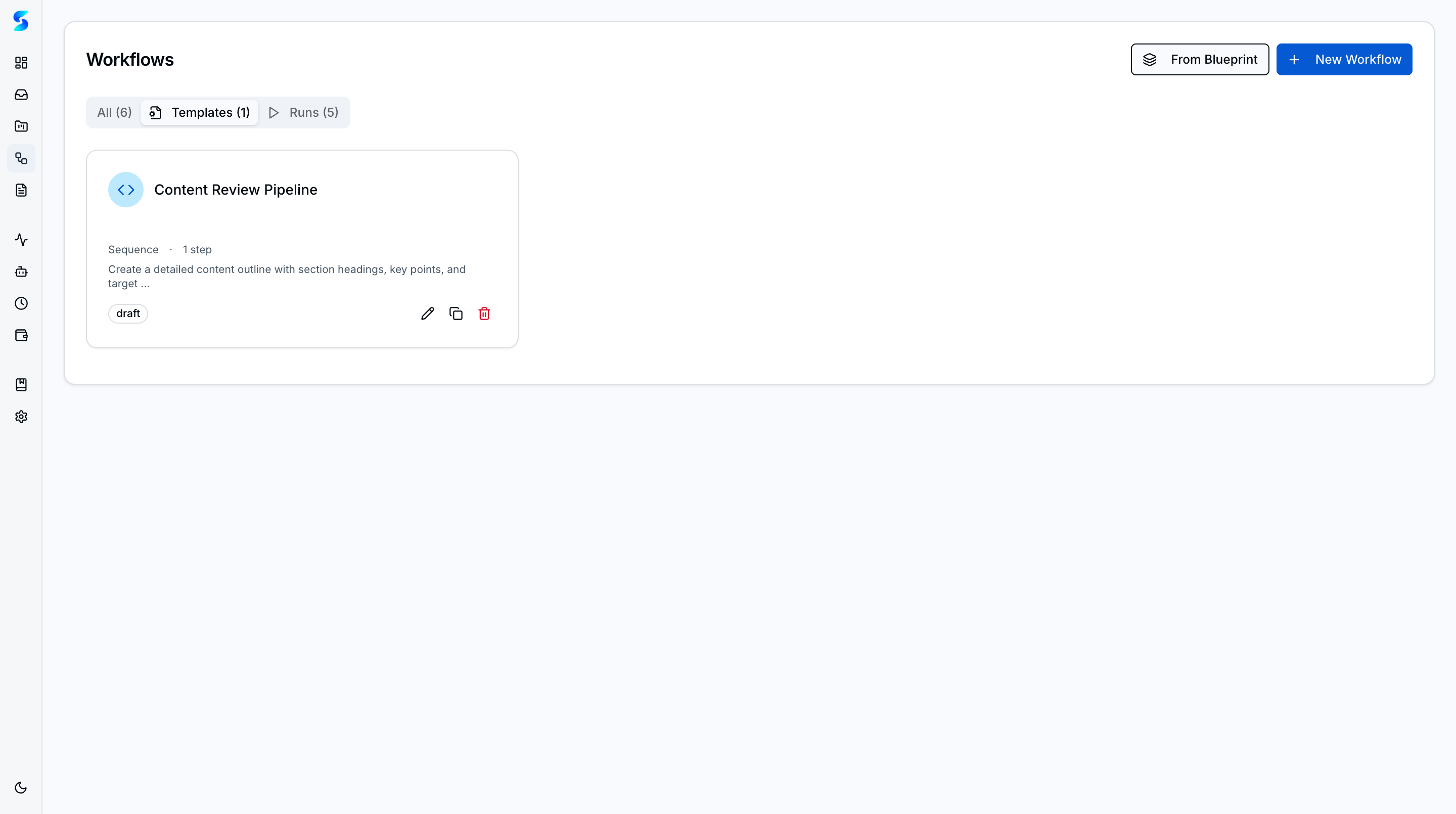
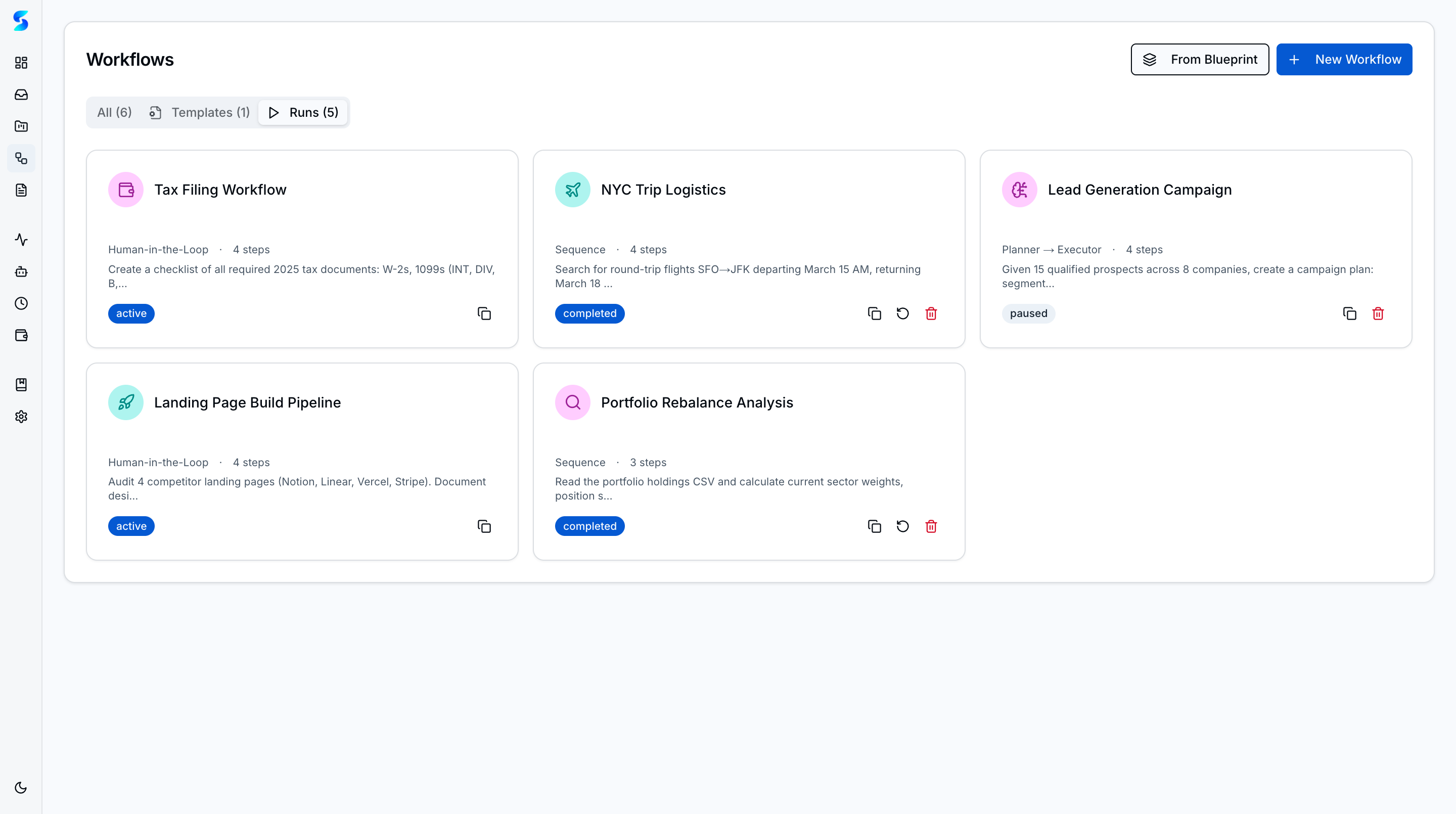
The Templates tab isolates reusable workflow patterns, while the Runs tab shows active and completed workflow executions with their current status.
Key Concepts
- Workflow Library — The main list shows each workflow’s pattern, status, step count, and duplication controls. Six execution patterns are supported.
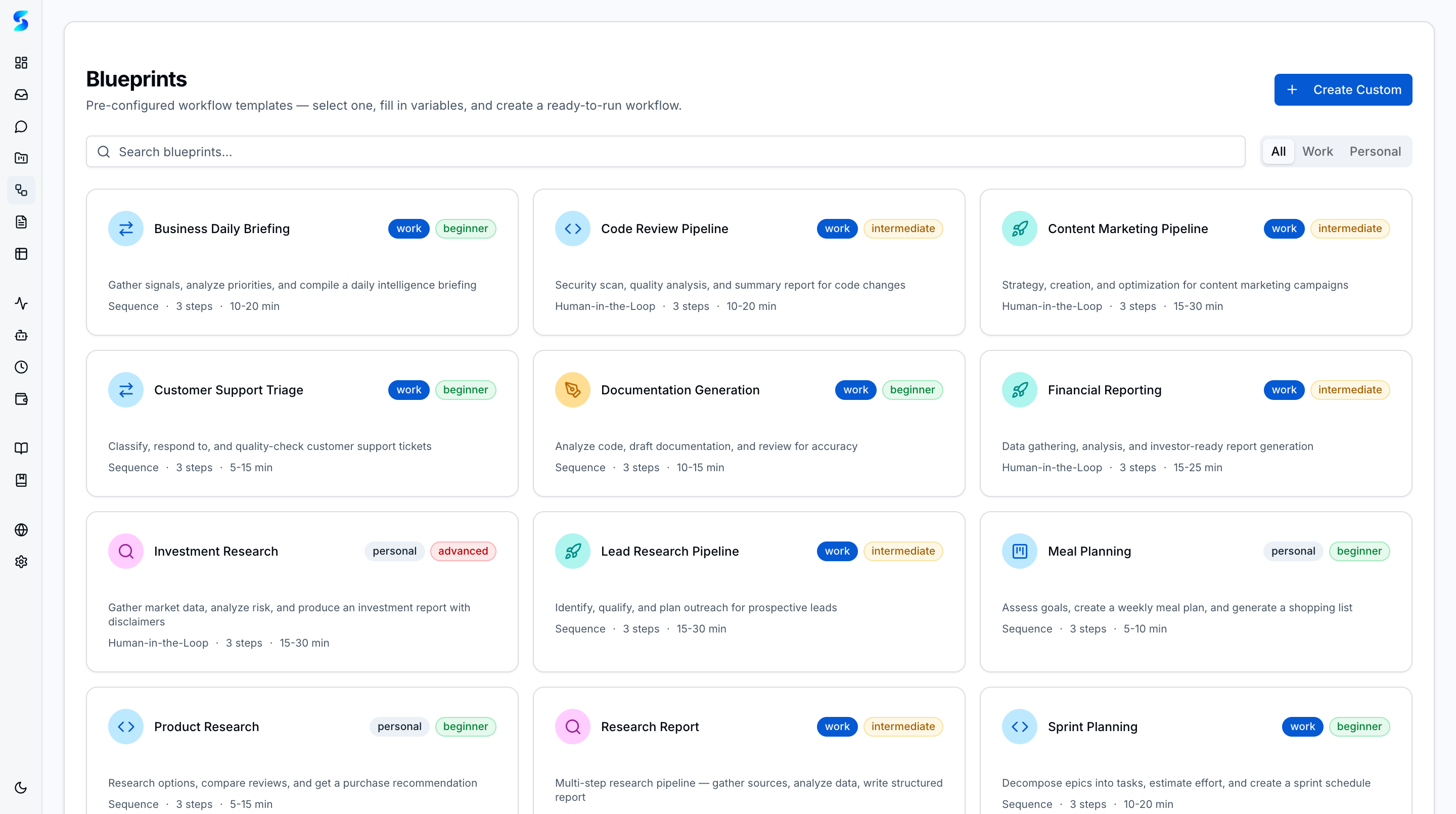
- Blueprint Catalog — Operators can start from pre-built templates across technical workflows (code review, deploy-and-verify, research synthesis, documentation generation) and business functions (lead research, content marketing, customer support triage, financial reporting, business daily briefing). Blueprint lineage tracks the template origin and any customizations applied.
- Profile-Aware Steps — Each workflow step can reference an agent profile so specialist behavior is reused consistently.
- Step-Level Retry — Retry individual failed steps without re-running the entire workflow, saving time and cost on long-running orchestrations.
- Checkpoint & Resume — Human-in-the-loop workflows pause naturally at approval points and resume when the operator responds.
- Parallel & Swarm — Fork/Join and Swarm patterns run bounded concurrent branches with automatic result consolidation.
How It Works
Blueprints are the fastest way to launch a new workflow. Operators can choose a template, adapt the prompt or profile bindings, and create a runnable workflow without rebuilding the structure manually.
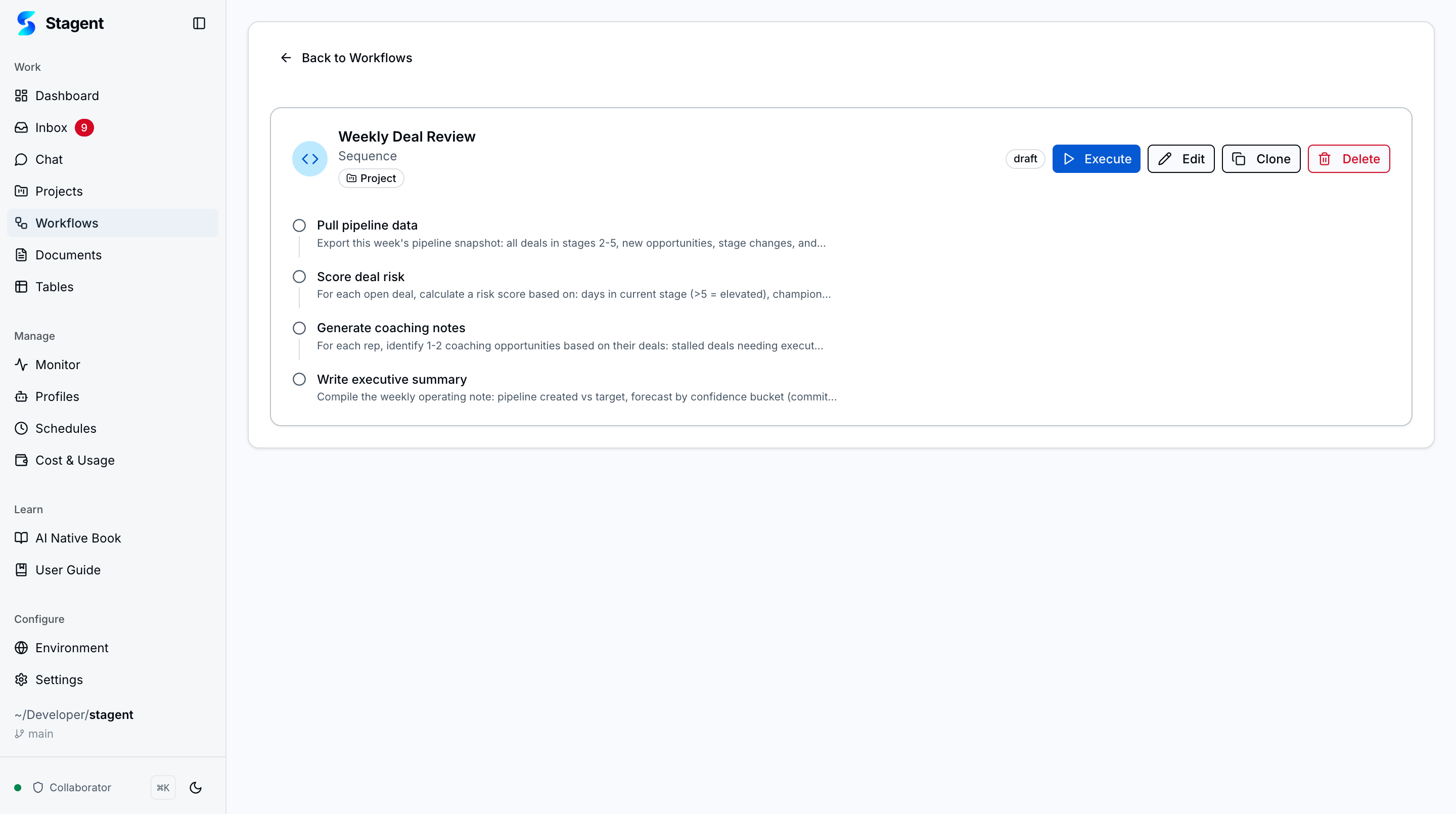
Once a workflow exists, the detail view exposes its exact step sequence. This is where Stagent makes orchestration legible: you can inspect prompts, identify checkpoints, and understand how work will proceed before any agent runs.
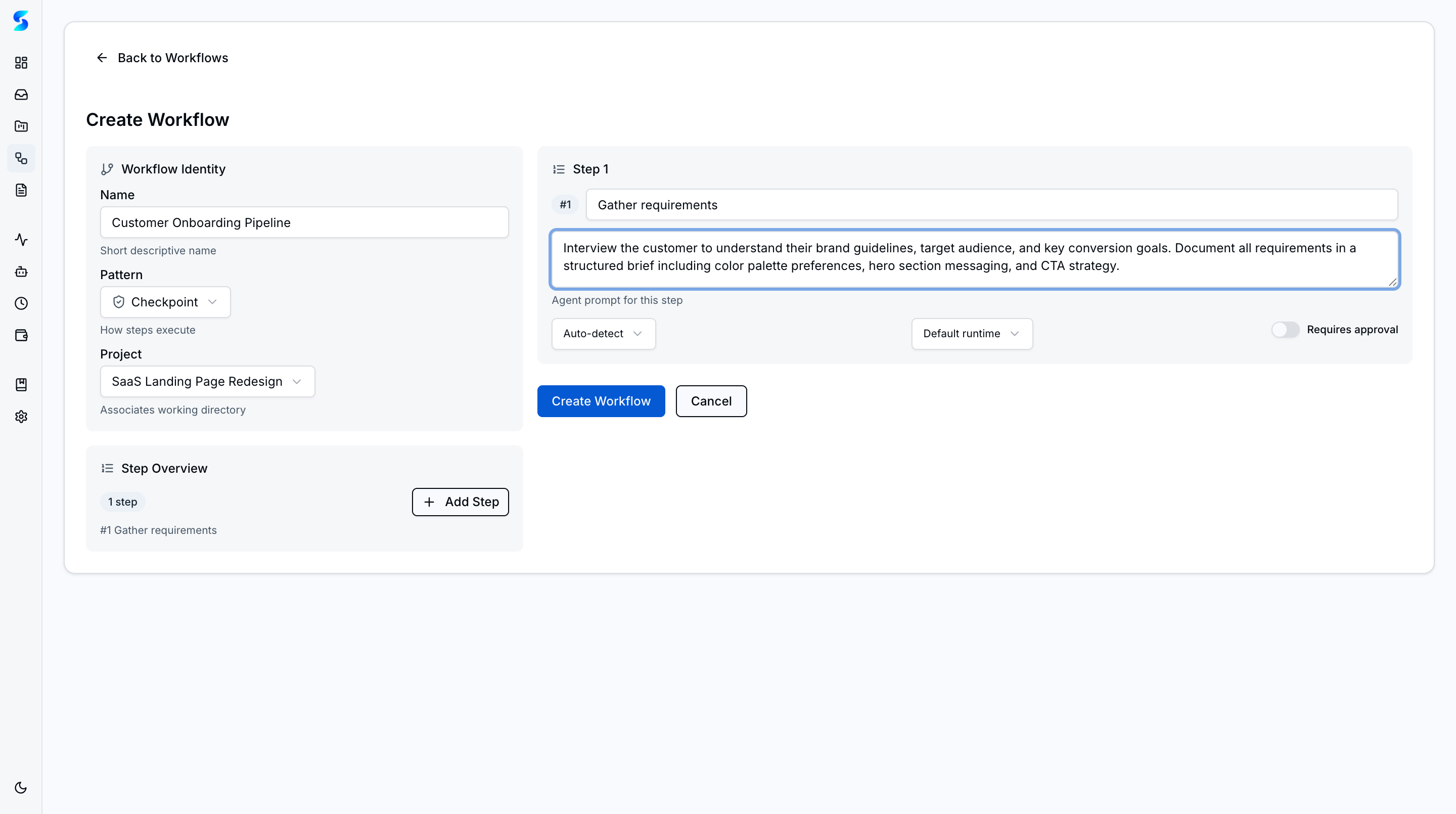
To create a new workflow from scratch, the creation form collects identity details, the orchestration pattern, a target project, and individual step prompts — giving operators full control over how work will be structured before any agent runs.
AI-Generated Workflows
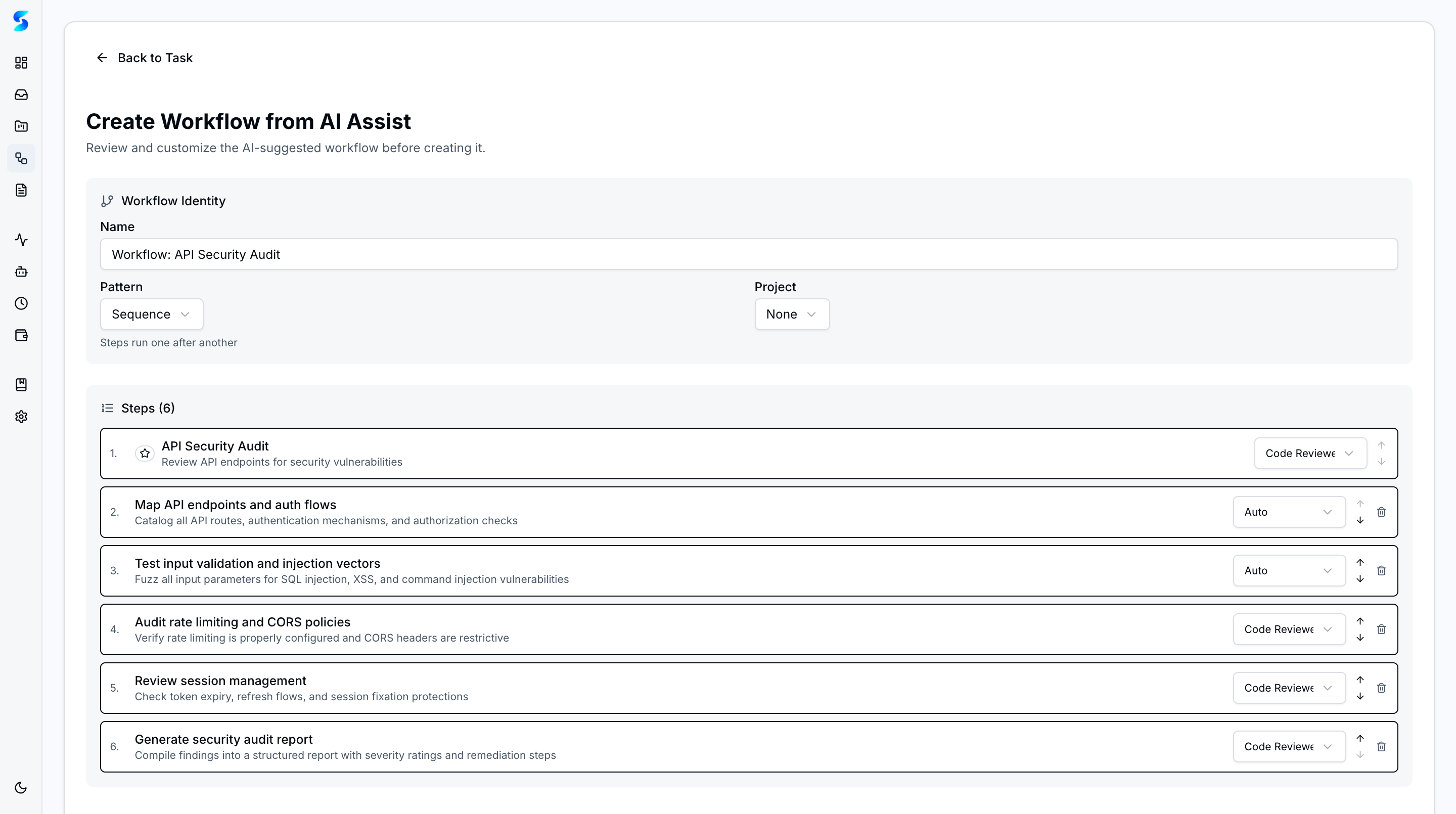
When AI Assist produces a multi-step breakdown during task creation, operators can promote those steps into a full workflow. The confirmation page shows each generated step with its assigned agent profile, letting the operator review the structure before committing.
Use Cases
Code Review Pipeline
Product Team · Automating the full review cycle with safety gates
You launch a blueprint-backed workflow that audits a PR, drafts findings, pauses for review, and then posts the approved summary. The checkpoint keeps the process fast without dropping human accountability.
Investment Research Report
Knowledge Worker · Using Planner-Executor for structured analysis
A planner-executor workflow collects company filings, compares guidance, and drafts a recommendation. The structure makes a complex analysis reproducible instead of depending on a single long prompt.
Sprint Planning Automation
Developer · Combining sequence steps with human checkpoints
You start from the sprint-planning blueprint, adjust the prompt for your team’s cadence, and let the workflow draft next sprint work before pausing for PM review. The workflow becomes an operator-facing planning assistant rather than a hidden automation.
Meal Planning for the Week
Non-Technical User · Personal automation with a review step
You choose a personal meal-planning blueprint, tweak the prompt for dietary constraints, and keep one checkpoint before shopping. The workflow handles repetition while you retain the final decision.
Related Features
- Task Execution — Individual execution records created by workflow steps
- Profiles — Reusable specialist behavior for each workflow step
- Human-in-the-Loop — Checkpoint approval requests