Settings
The settings page is where operators define how Stagent authenticates, which tool requests can be trusted by default, how much provider activity is allowed to cost, and how the local workspace data should be managed.
Key Concepts
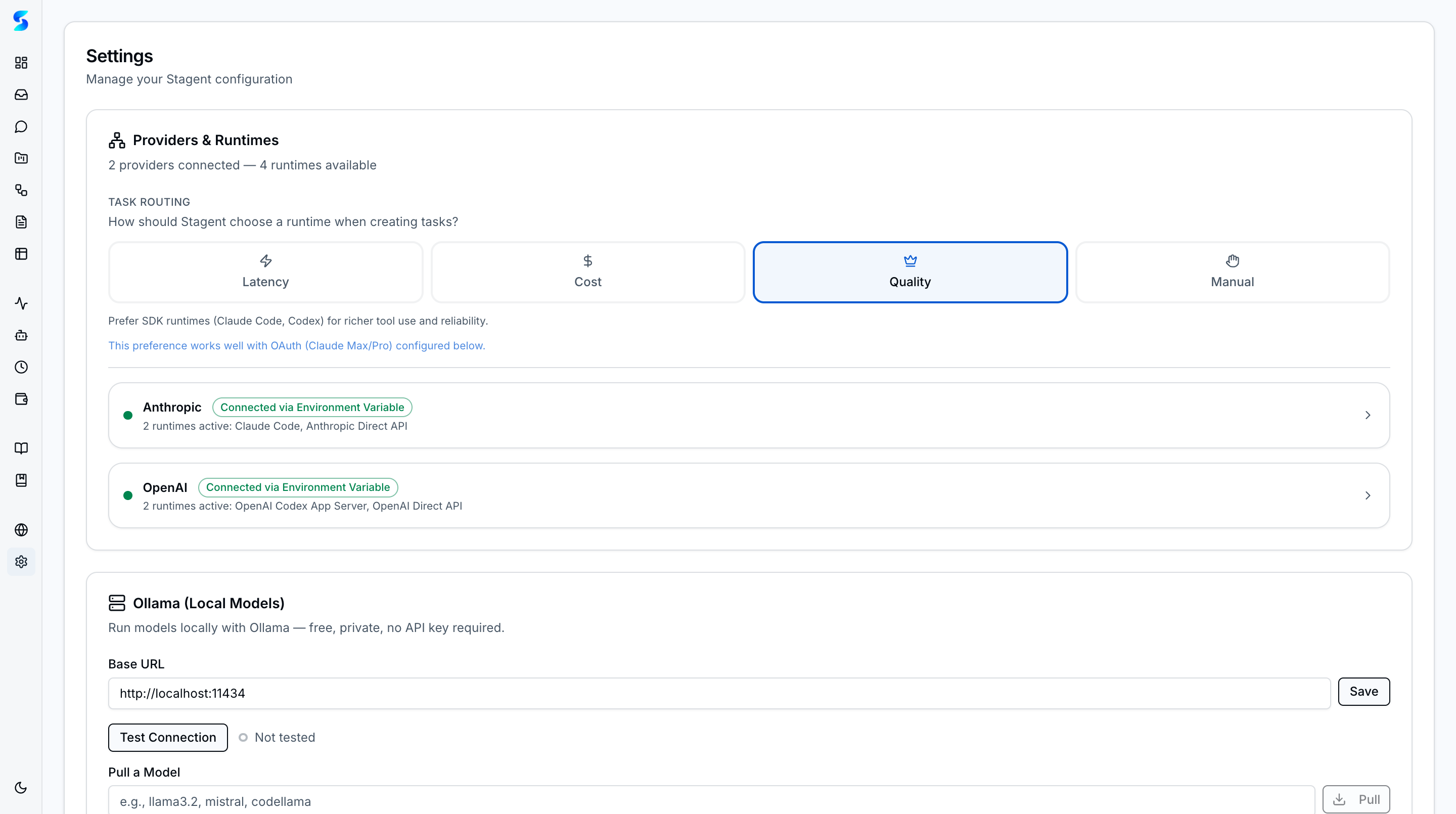
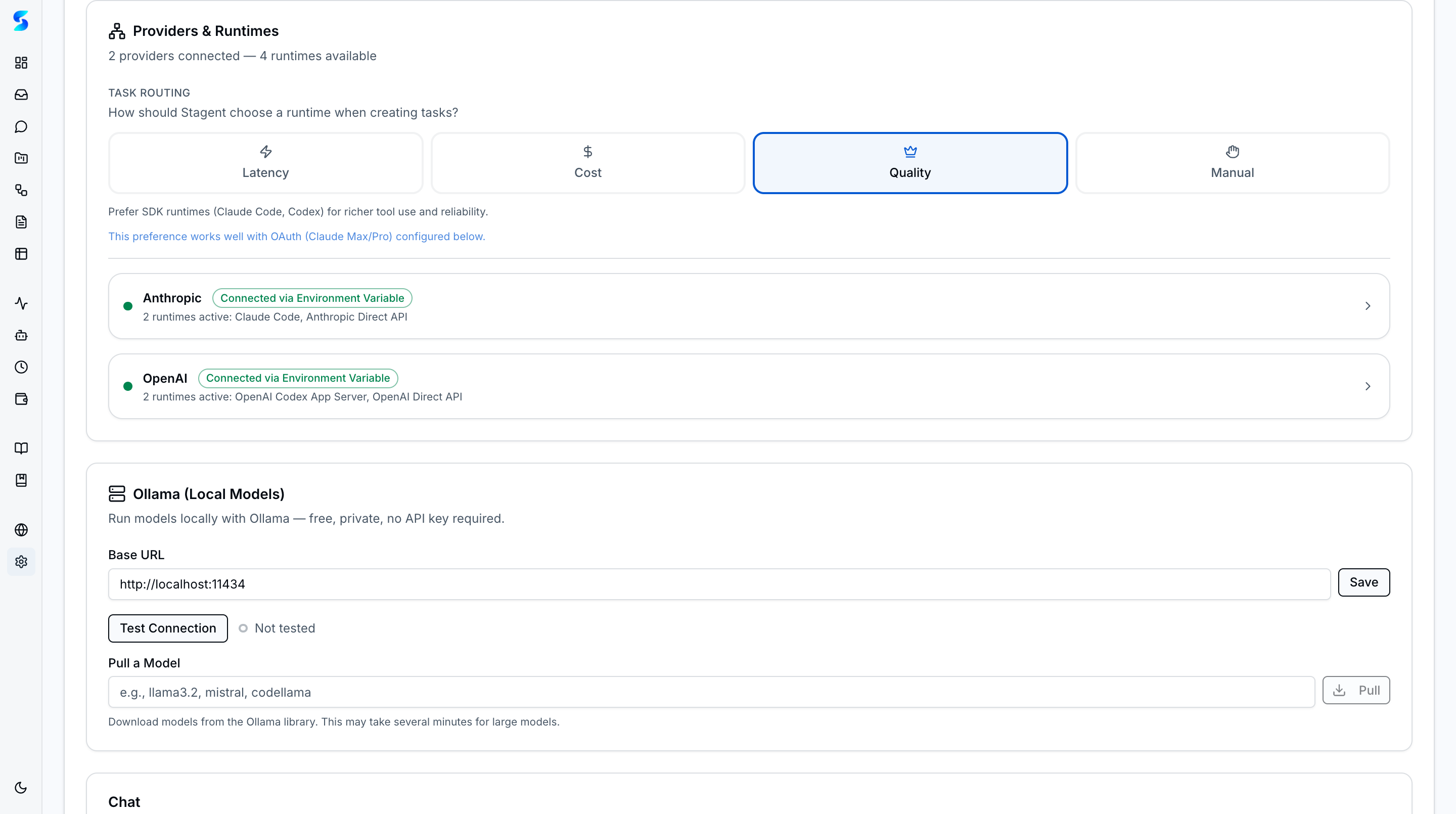
- Providers & Runtimes — Configure authentication for all five provider runtimes from one section with task routing preferences (Latency, Cost, Quality, or Manual).
- Ollama Local Models — Connect to a local Ollama instance for free, private AI execution. Test connection, discover available models, pull new ones, and integrate with smart routing.
- Permission Presets — Three composable tiers — Read-Only (low risk), Git-Safe (moderate), and Full-Auto (high) — each with risk badges. Higher tiers include all lower-tier permissions.
- Default Tool Permissions — Seed safe approval patterns so the inbox does not need to mediate every low-risk action. Patterns can be broad (
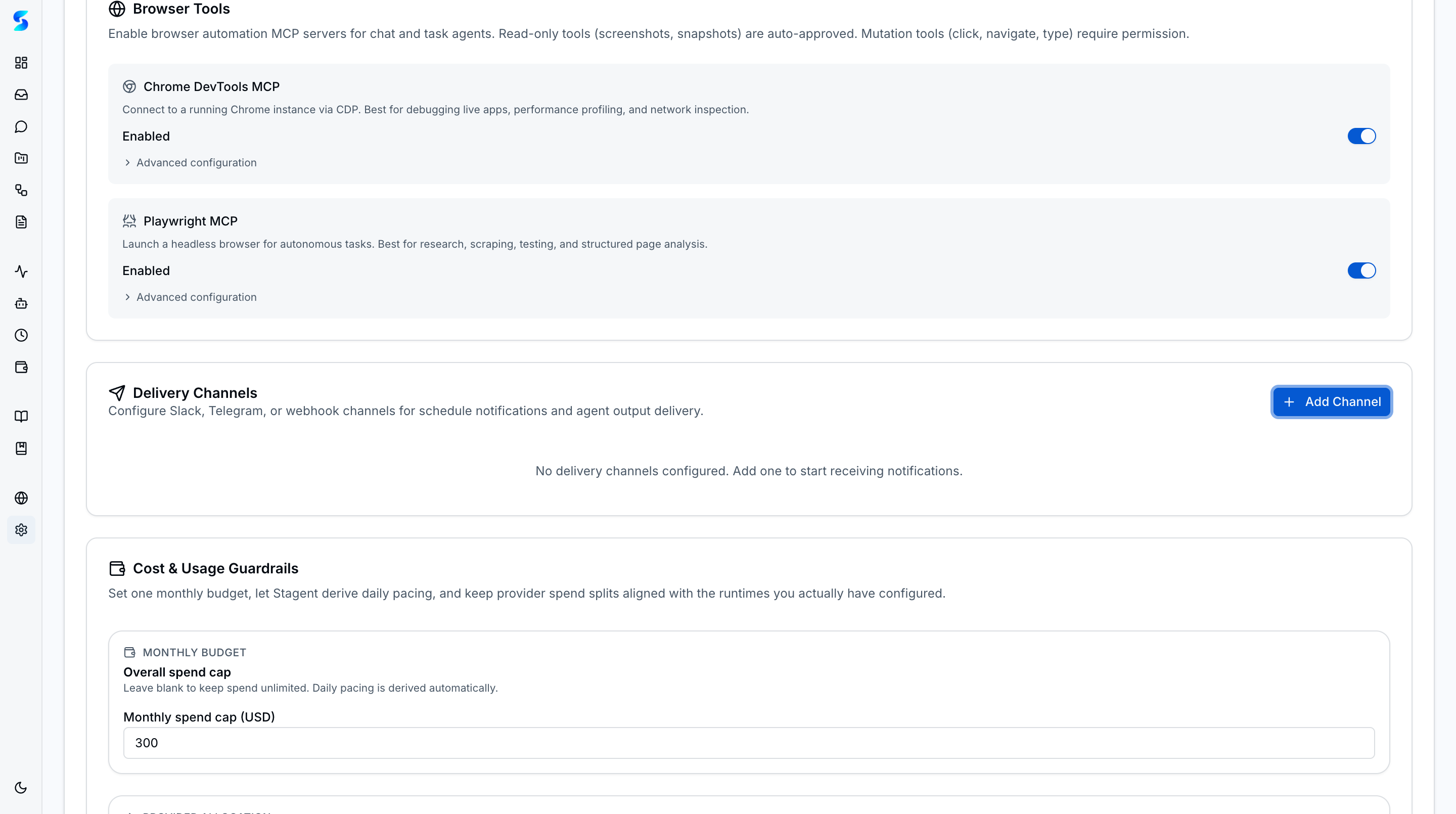
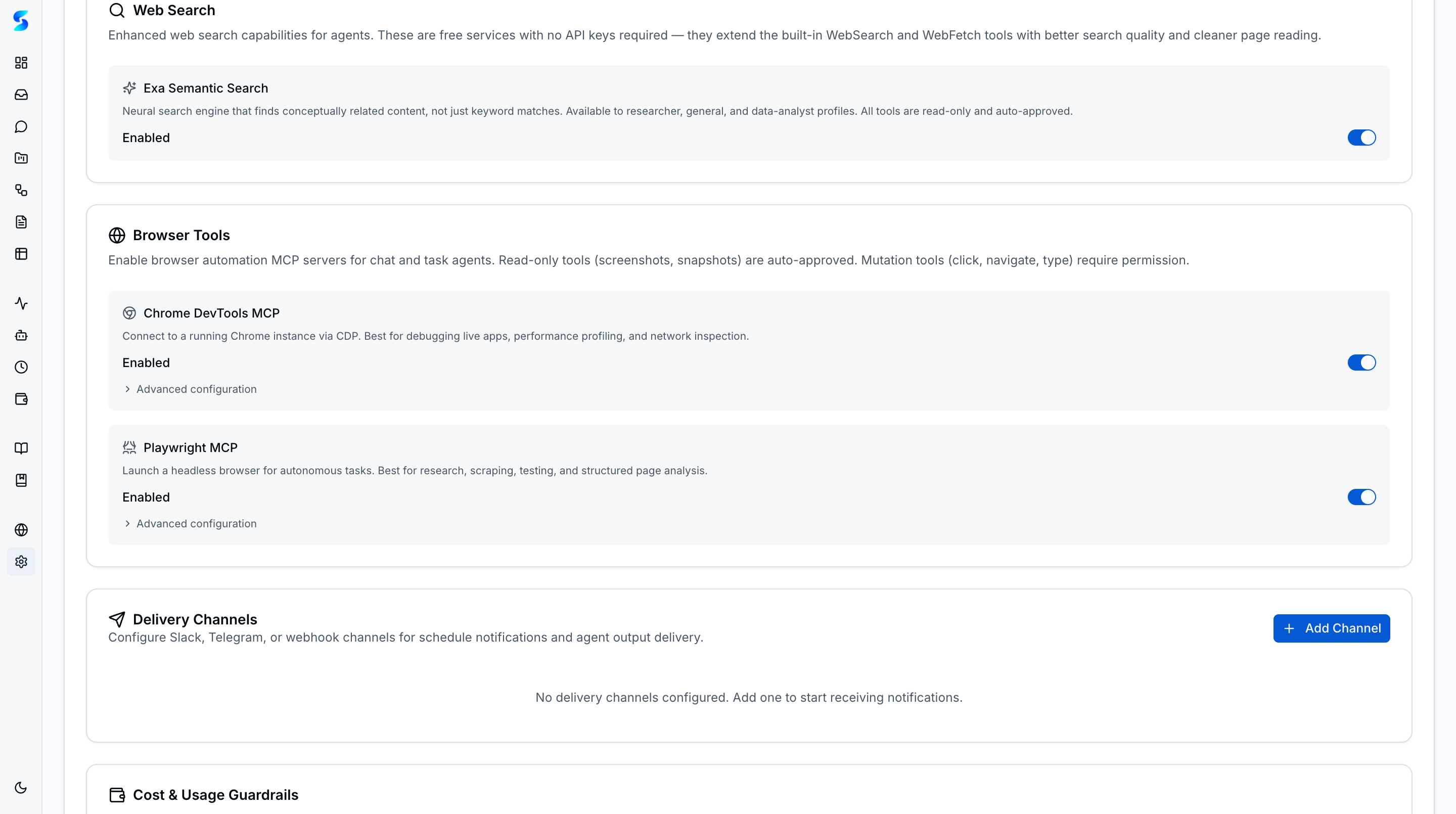
Read) or specific (Bash(command:git status)) with wildcard support. - Delivery Channels — Connect Slack, Telegram, or webhook endpoints for outbound notifications and bidirectional chat. Each channel card shows Chat/Active/Test/Delete controls.
- Cost & Usage Guardrails — Configure daily and monthly spend caps plus runtime-specific token/spend limits with pacing meters.
- Browser Tools — Independent toggles for Chrome DevTools and Playwright automation; read-only browser actions auto-approved within the trust tier.
- Chat Defaults — Choose the default AI model for new conversations with cost-tier indicators so operators can balance capability against spend.
- Task Resume — Retry failed or cancelled tasks with a 3-attempt limit, resuming execution from a known state instead of starting over.
- Data Management — Seed sample data for evaluation or clear all data (respects table relationships) when resetting the workspace.
- Local-First Configuration — Settings are managed close to the workspace instead of hidden inside a remote SaaS control plane.
The Providers & Runtimes section manages connections for Anthropic (OAuth or API Key), OpenAI (API Key), and Ollama (local endpoint). A task routing selector lets operators choose between Latency, Cost, Quality, or Manual mode to control how Stagent picks a runtime when creating tasks.
Authentication Methods
| Method | Description | Best For |
|---|---|---|
| Anthropic OAuth | Built-in sign-in flow for Claude subscriptions | Individual operators and local evaluation |
| Anthropic API Key | Direct credential entry for Claude Agent SDK and Direct API | Development, testing, and controlled server setups |
| OpenAI API Key | Provider-aware credential entry for Codex App Server and Direct API | Dual-runtime workspaces and OpenAI-backed runs |
| Ollama (Local) | Connect to a local Ollama instance for free, private inference | Privacy-sensitive work and cost-free experimentation |
Cost Guardrails
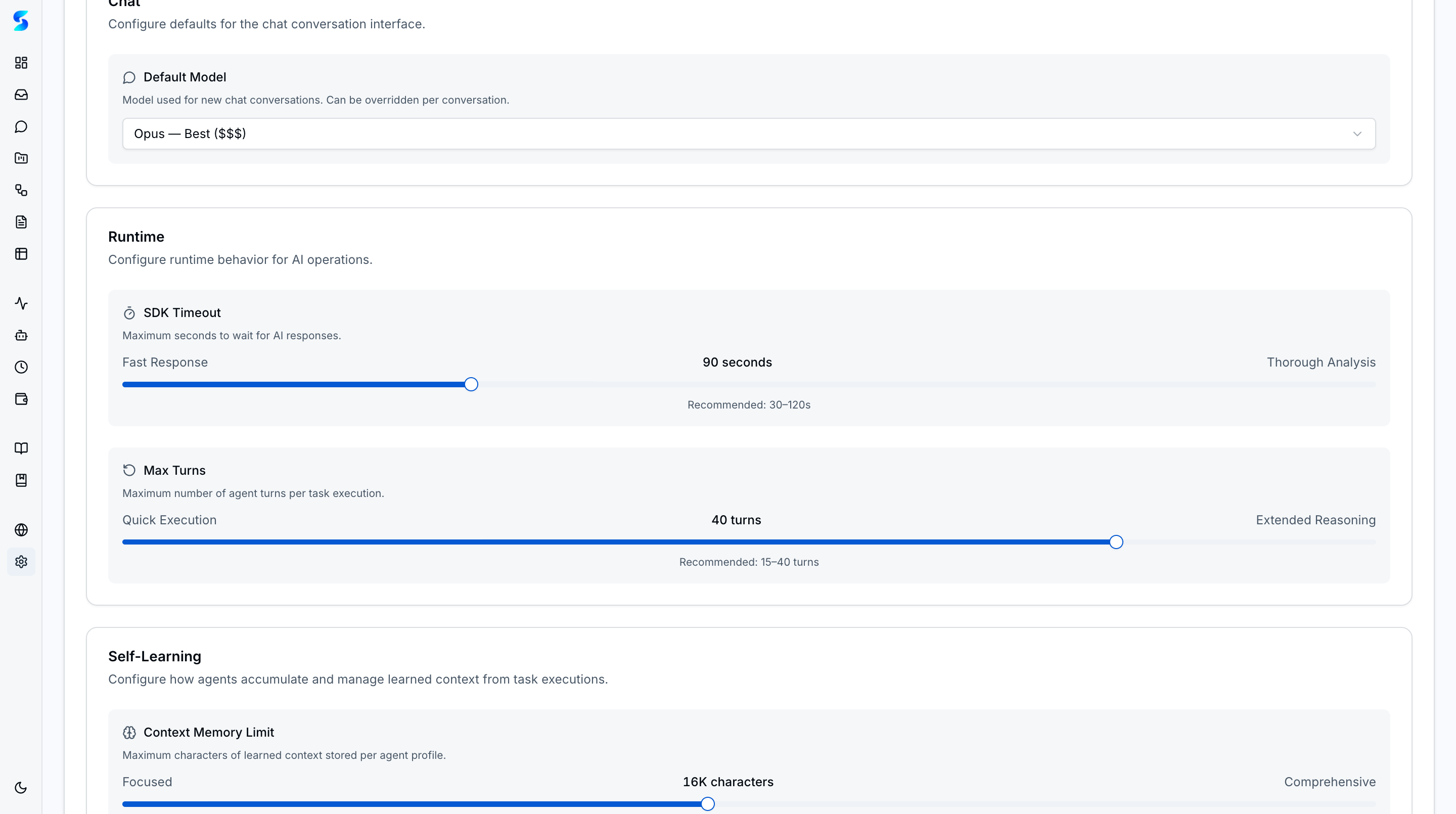
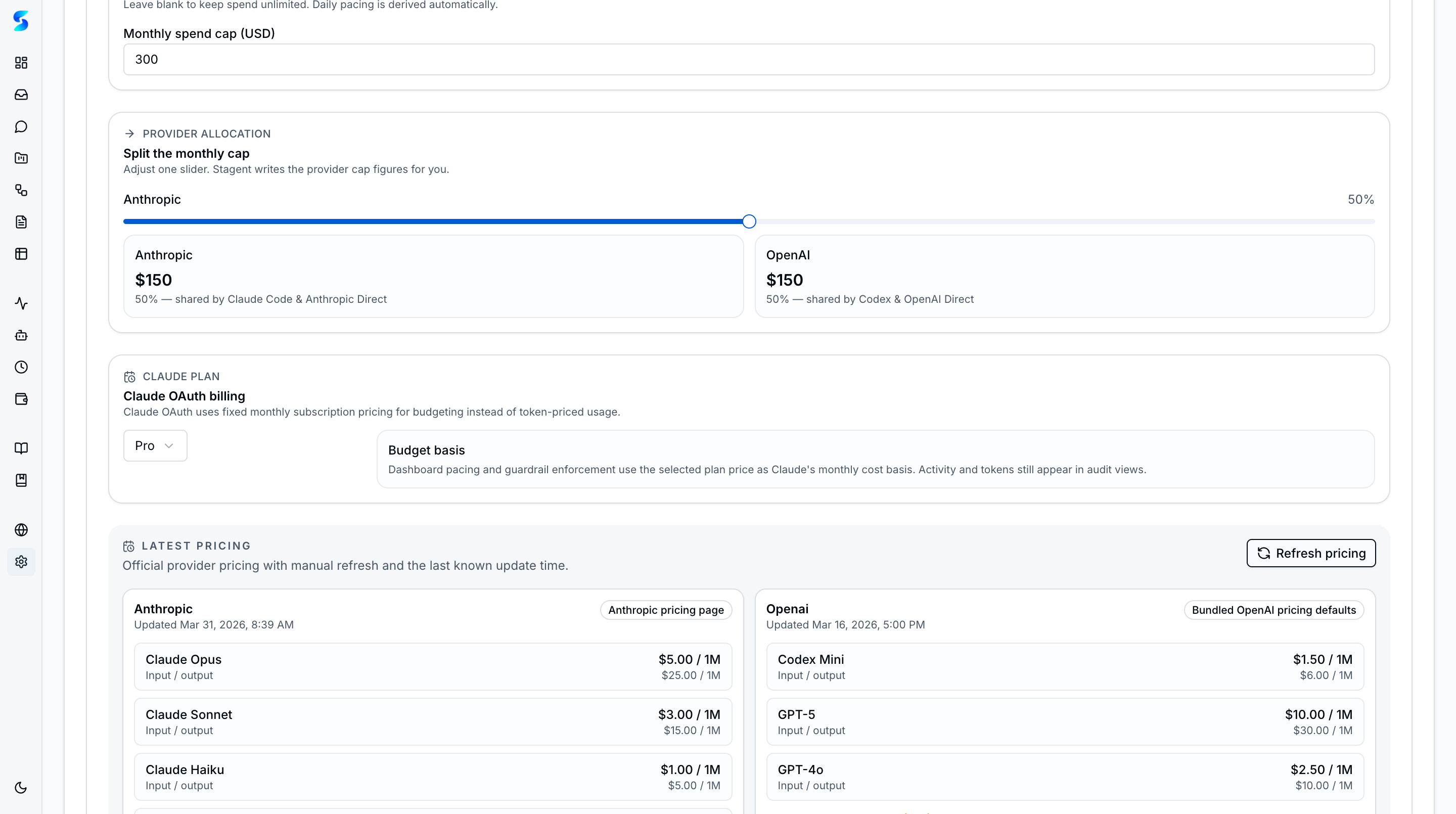
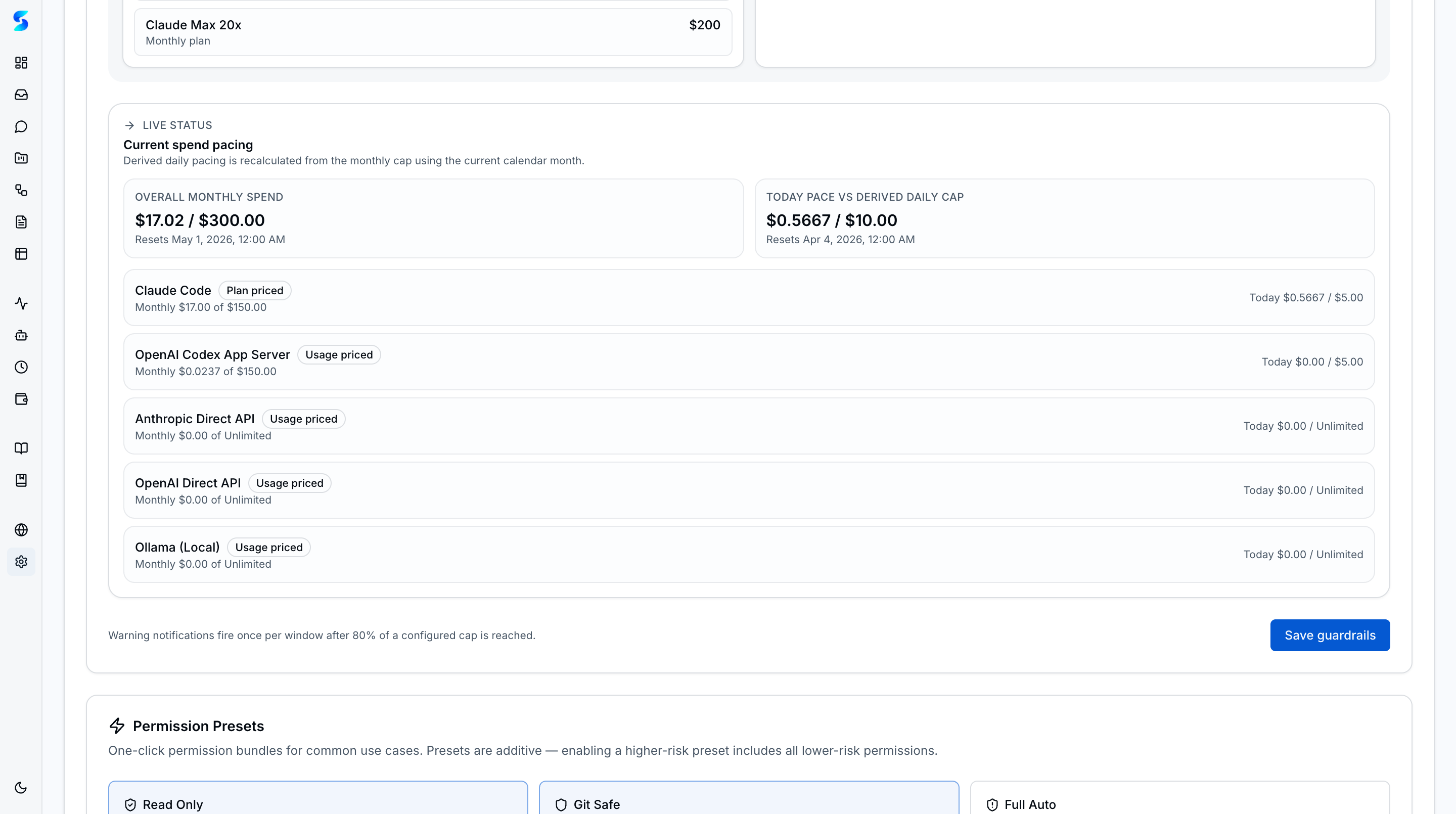
- Overall Daily / Monthly Caps — Limit total paid activity across runtimes in the current day or month window.
- Runtime-Scoped Caps — Apply spend or token ceilings to Claude or Codex independently when one runtime needs tighter control.
- Blocked-State Visibility — Settings shows whether a budget is currently blocking new work and when the next reset happens.
- Warning Notifications — The inbox can warn operators as active budget windows approach a configured threshold.
Data Management
- Clear All Data — Removes projects, tasks, workflows, schedules, documents, logs, notifications, and seeded profiles while preserving the underlying setup.
- Permission Pattern Curation — Operators can review and revoke auto-approved command patterns from one place.
How It Works
Settings centralize the trust model for the rest of the product. The authentication section controls how runs are authorized, the permissions section shapes inbox volume, the budget section controls paid runtime expansion, and the data tools make it possible to reset or repopulate the workspace safely.
The visible grouping also keeps operational choices legible. You do not have to remember where an approval rule lives, which runtime is authenticated, or why paid work is blocked; all of those controls stay explicit on one screen.
Use Cases
Team Onboarding Setup
Product Team · Getting new team members started in under 5 minutes
A new teammate connects with OAuth, reviews the default approval patterns, and resets the sample workspace before starting real work. Setup stays legible because the auth, permission, and data controls are grouped together.
API Key Rotation
Developer · Monthly credential rotation for security compliance
Your security team rotates access monthly. You update the auth mode or credential, remove any stale auto-approval patterns, and keep the control surface for trust decisions in one place.
Starting Fresh
Non-Technical User · Resetting after initial experimentation
You spent a week exploring seeded sample data. When it is time to move to production work, one reset clears the operational records while leaving the product ready for a clean start.
Related Features
- Agent Integration — Uses the configured API key
- Cost & Usage — Budget guardrails and cross-runtime usage visibility
- Home & Dashboard — Reflects current workspace state
- Documents — Upload storage configuration