Projects
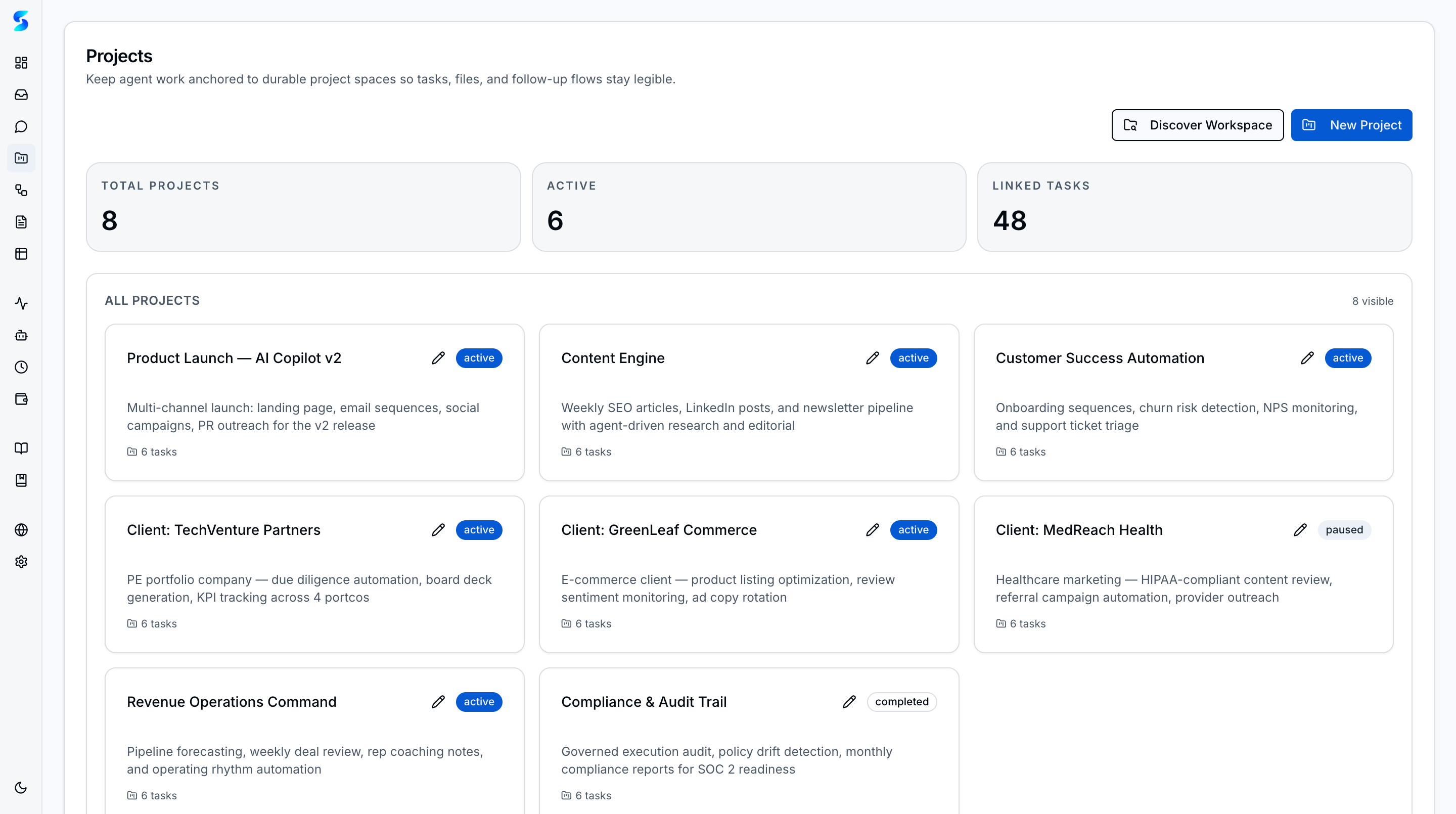
Projects are the top-level containers for work in Stagent. They group tasks, workflows, schedules, and documents around one initiative so the system can reason about context without losing operator visibility.
Key Concepts
- Server-Rendered Project Cards — Cards load instantly with pre-rendered task counts and status badges — no client-side fetching delay.
- Scoped Execution — Opening a project narrows the operational view to the work, metrics, and status breakdown for that initiative.
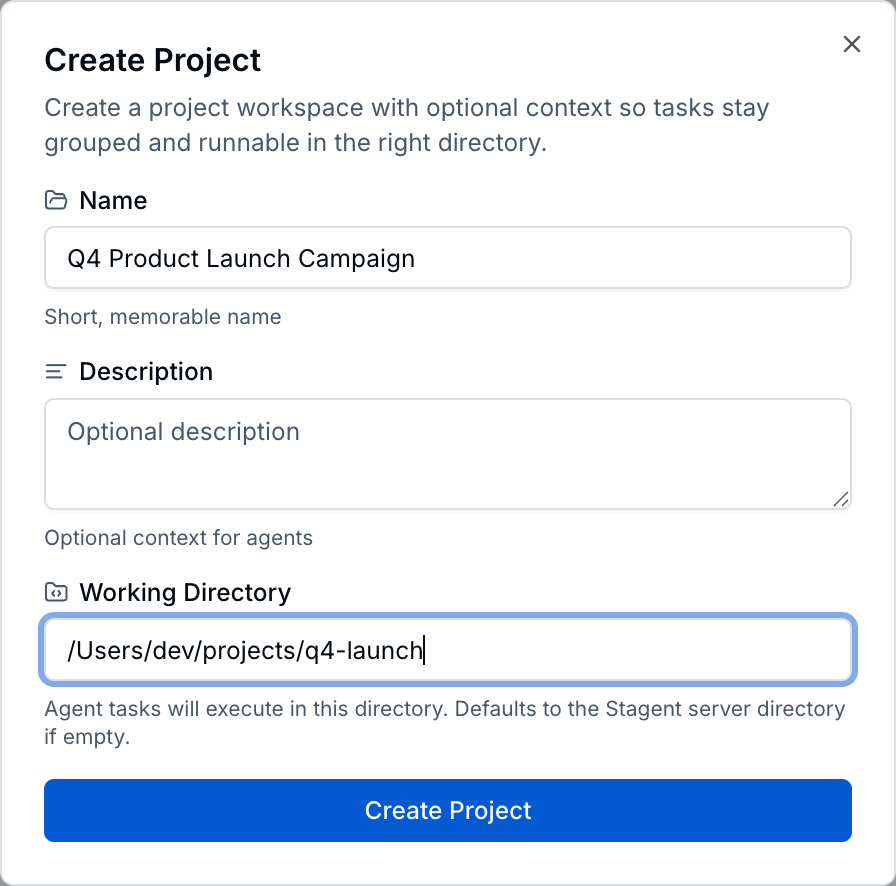
- Working Directory — Set a file-system path per project; agents automatically operate within that directory, keeping execution context aligned with the codebase or file structure.
- Completion Donuts & Sparklines — Each card shows a visual completion donut and 7-day activity sparkline so you can spot stalled initiatives at a glance.
- Cross-Surface Context — Documents, tasks, workflows, and schedules can all reference the same project record.
How It Works
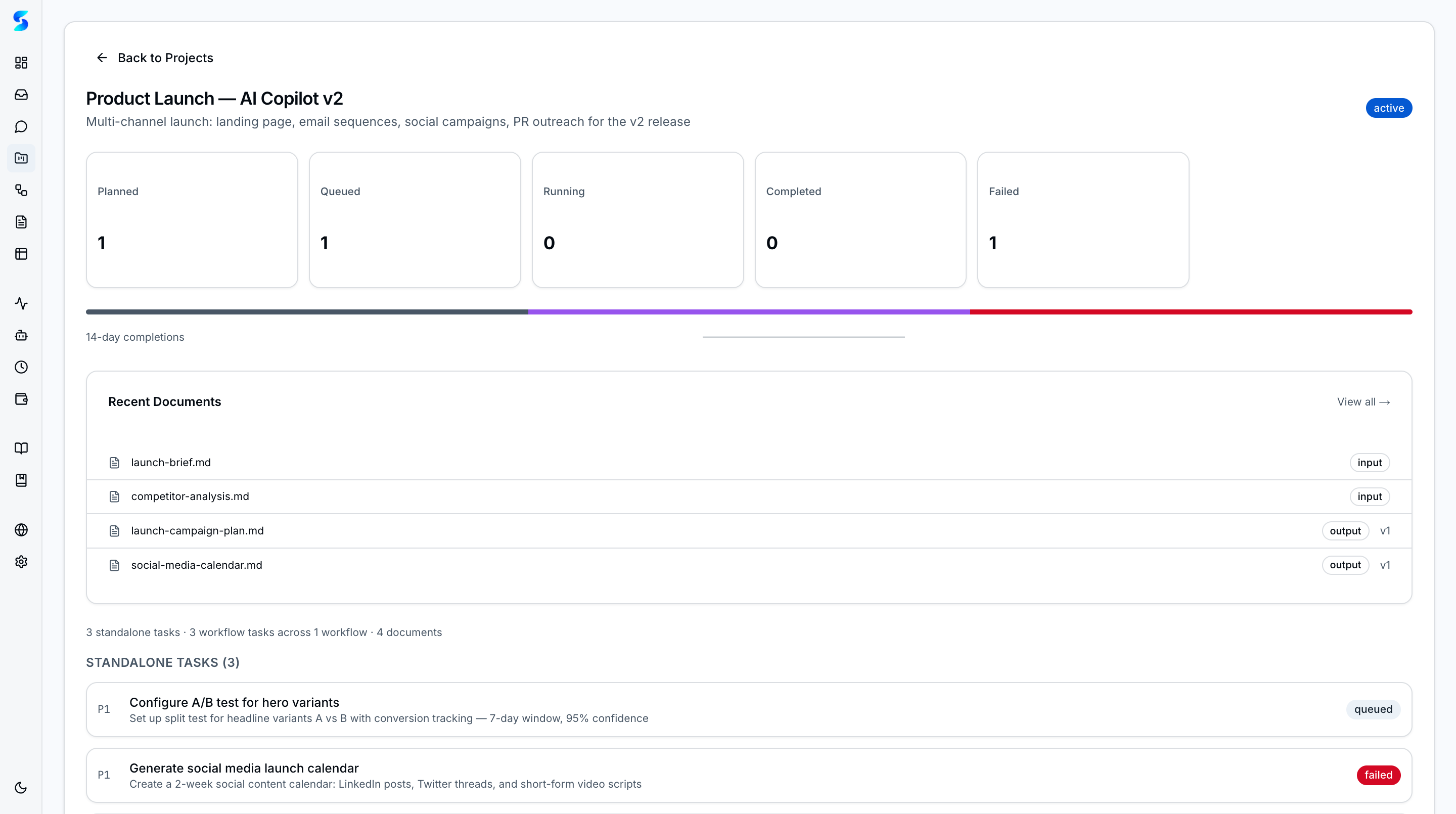
The projects list is the portfolio view. It helps operators decide where attention should go next by showing which initiatives are active, which are complete, and how much work sits under each one.
The detail view then becomes the operational summary for one project. Status cards expose task distribution, the progress strip shows recent completions, and the task list keeps the underlying execution queue accessible.
Use Cases
Multi-Sprint Product Launch
Product Team · Coordinating a cross-functional release
Your product launch spans content, documentation, QA, and launch analytics. One project holds the shared context while tasks, workflows, and documents all link back to the same operational record.
Personal Finance Organization
Non-Technical User · Preparing for tax season
You create a tax prep project, attach documents, and spin up schedules that remind you to chase missing forms. Instead of spreading the work across spreadsheets, email drafts, and notes, the entire job stays anchored to one project.
Client Engagement Tracking
Knowledge Worker · Managing deliverables across multiple clients
Each client gets a dedicated project with its own queue, documents, and workflows. The project detail page gives you a clean operational snapshot before a client call without requiring you to scan the entire workspace.
Related Features
- Home & Dashboard — Workspace-level entry points into projects
- Task Execution — The task lifecycle inside each project
- Documents — Documents linked to projects