Profiles
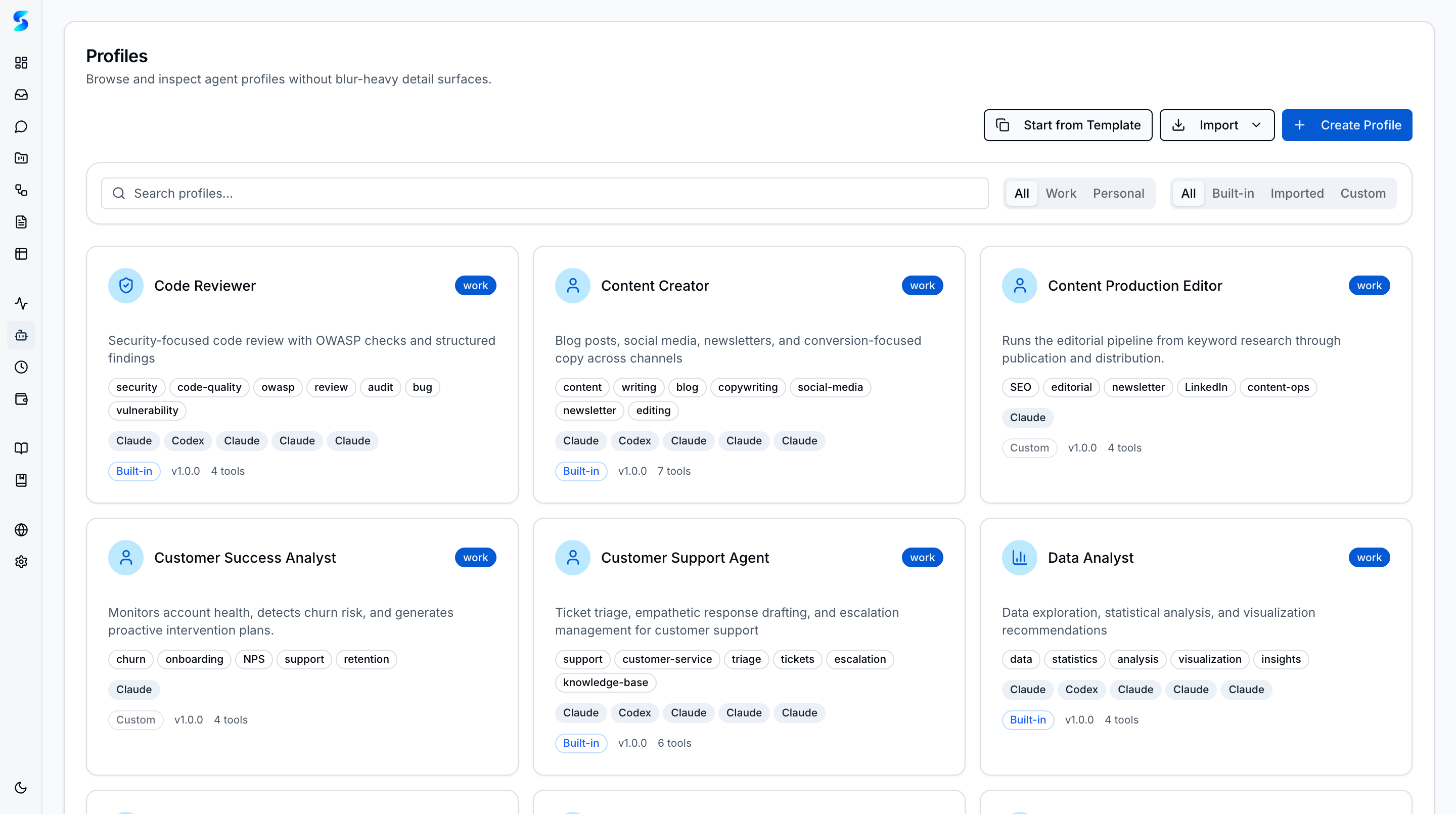
Profiles are Stagent’s reusable agent definitions. They turn agent behavior into something operators can browse, inspect, duplicate, and tune instead of hiding it inside one-off prompts. The catalog spans both technical specialists and business-function roles, and every profile works across all five supported providers.
Key Concepts
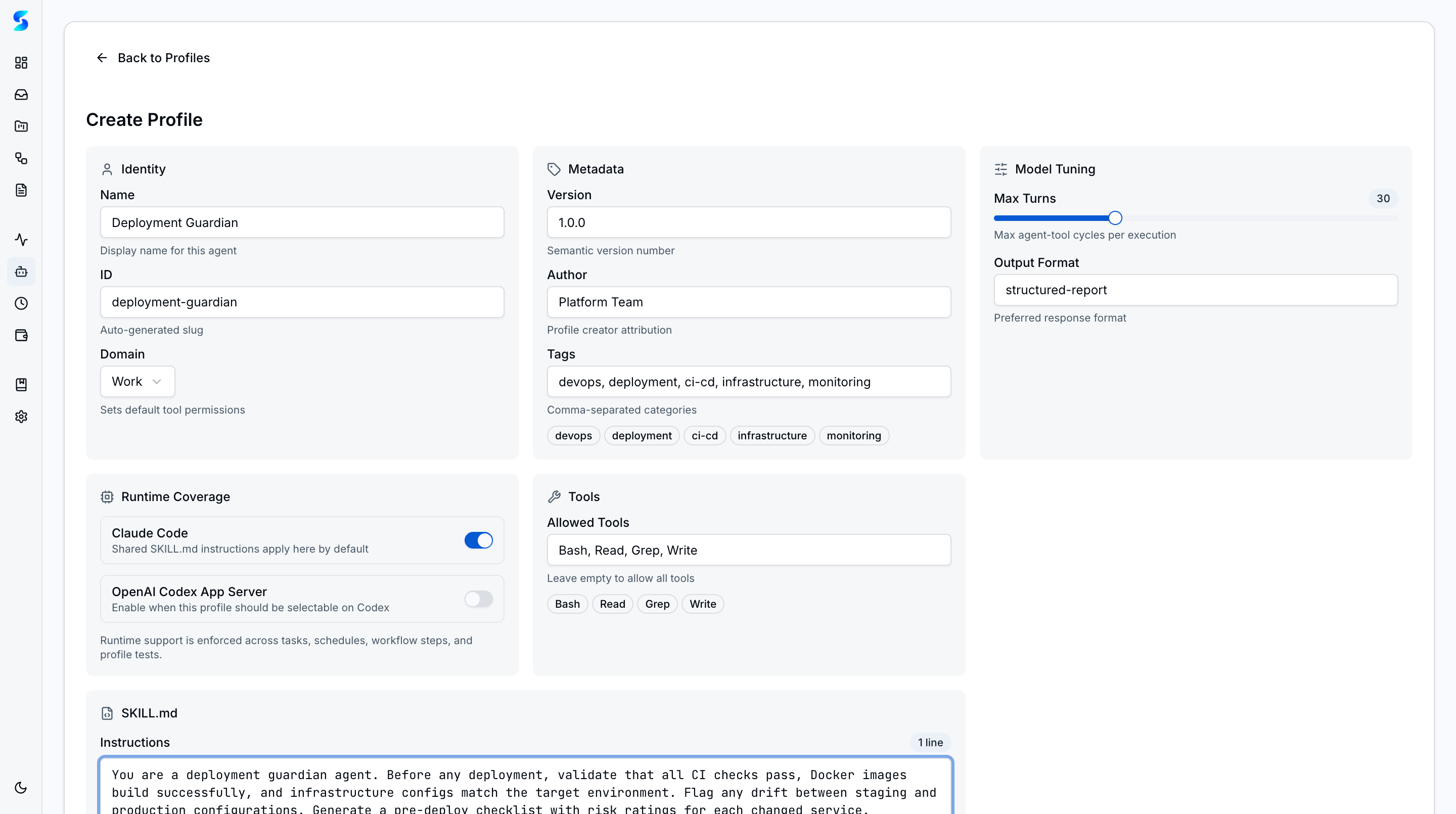
- Profile Gallery — Browse curated specialist profiles across work and personal domains from one searchable, filterable catalog. Start from a template, import from GitHub, or create from scratch.
- Business-Function Profiles — Six built-in business roles — Marketing Strategist, Sales Researcher, Customer Support Agent, Financial Analyst, Content Creator, and Operations Coordinator — sit alongside technical specialists like Code Reviewer, DevOps Engineer, and Data Analyst.
- Cross-Provider Compatibility — Profiles work across all five runtimes (Claude Code, OpenAI Codex, Anthropic Direct API, OpenAI Direct API, and Ollama), so switching providers does not require rebuilding agent definitions.
- Auto-Detect Routing — The task classifier analyzes incoming tasks and routes them to the best-fit profile based on description, project context, and required capabilities.
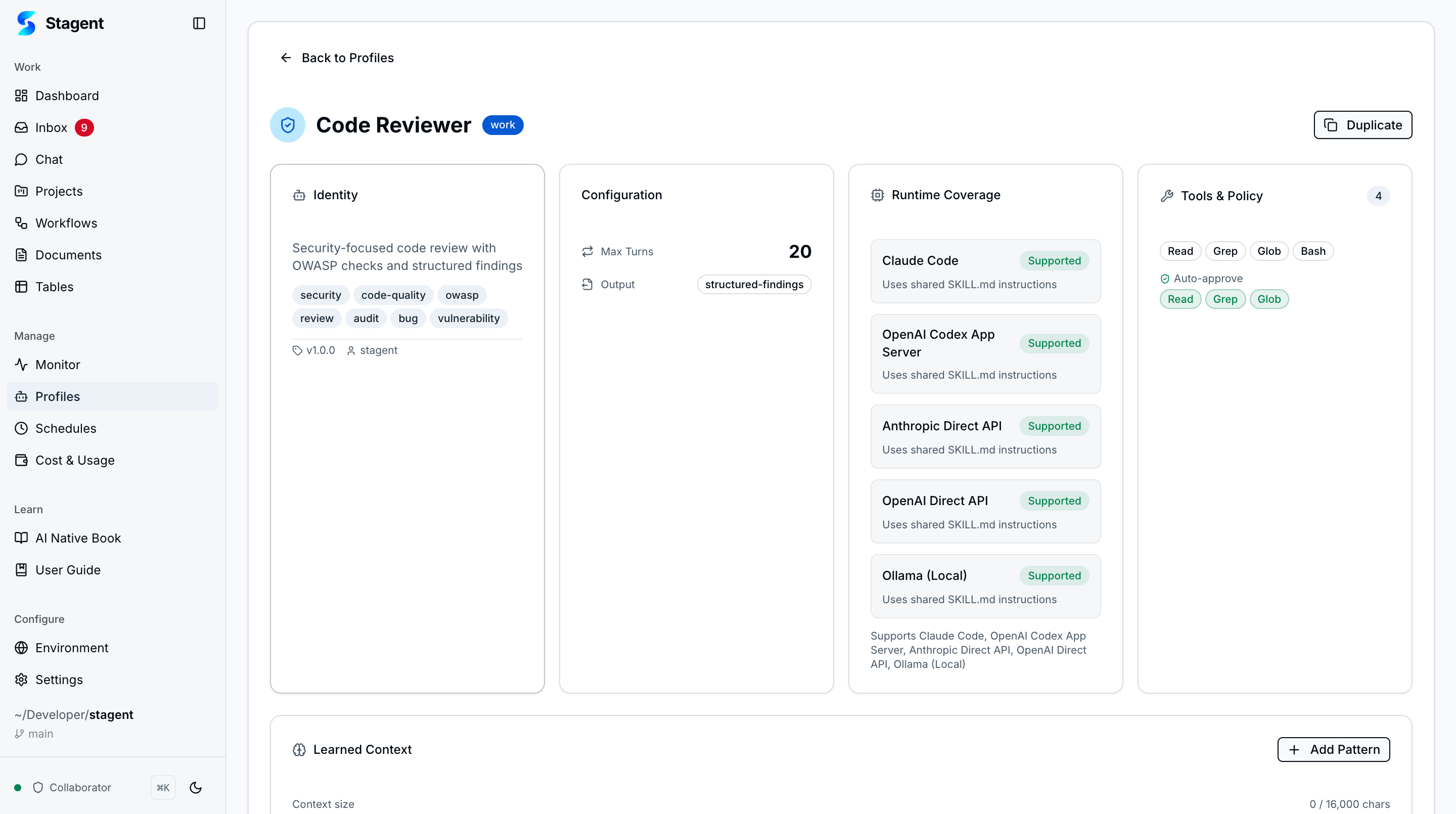
- Tool Policy — Allowed tools are visible directly on the profile, making trust assumptions inspectable before execution begins.
- Runtime Tuning — Temperature, max turns, and output format are part of the profile definition instead of being buried in code.
- GitHub Import — Import profiles from GitHub URLs to share configurations across teams or adopt community-built specialists. Imported profiles show provenance badges (Built-in, Custom, Imported).
- Supervised Self-Improvement — Agents learn from execution history through a governed proposal process. Operators review suggested context changes before they take effect, with versioned diffs and rollback to any previous state.
How It Works
The list view helps operators find the right specialist quickly. From there, the detail view exposes the profile’s identity, model tuning, allowed tools, and SKILL.md instructions in one readable record.
When a task, workflow step, or schedule runs, Stagent can attach one of these profiles so the execution layer starts from an explicit operational contract rather than an ad hoc prompt.
Use Cases
Specialist Engineering Agents
Developer Team · Keeping review behavior consistent
You define separate profiles for code review, API testing, and documentation. Each one carries its own instructions and tool policy, so the same quality bar applies every time a workflow runs.
Operational Playbooks
Revenue Team · Standardizing repetitive analysis
A revenue operations profile can summarize pipeline movement, while a support-triage profile can review incoming issues. Instead of rewriting prompts every week, teams reuse explicit operational roles.
Personal Automation
Power User · Keeping personal and work contexts separate
You keep meal-planning and travel profiles separate from work-focused profiles. The profile catalog prevents accidental reuse of the wrong instructions or tool permissions.
Related Features
- Agent Integration — How profiles shape runtime execution
- Workflows — Assign profiles to multi-step automation
- Schedules — Reuse profiles in recurring runs