Human-in-the-Loop
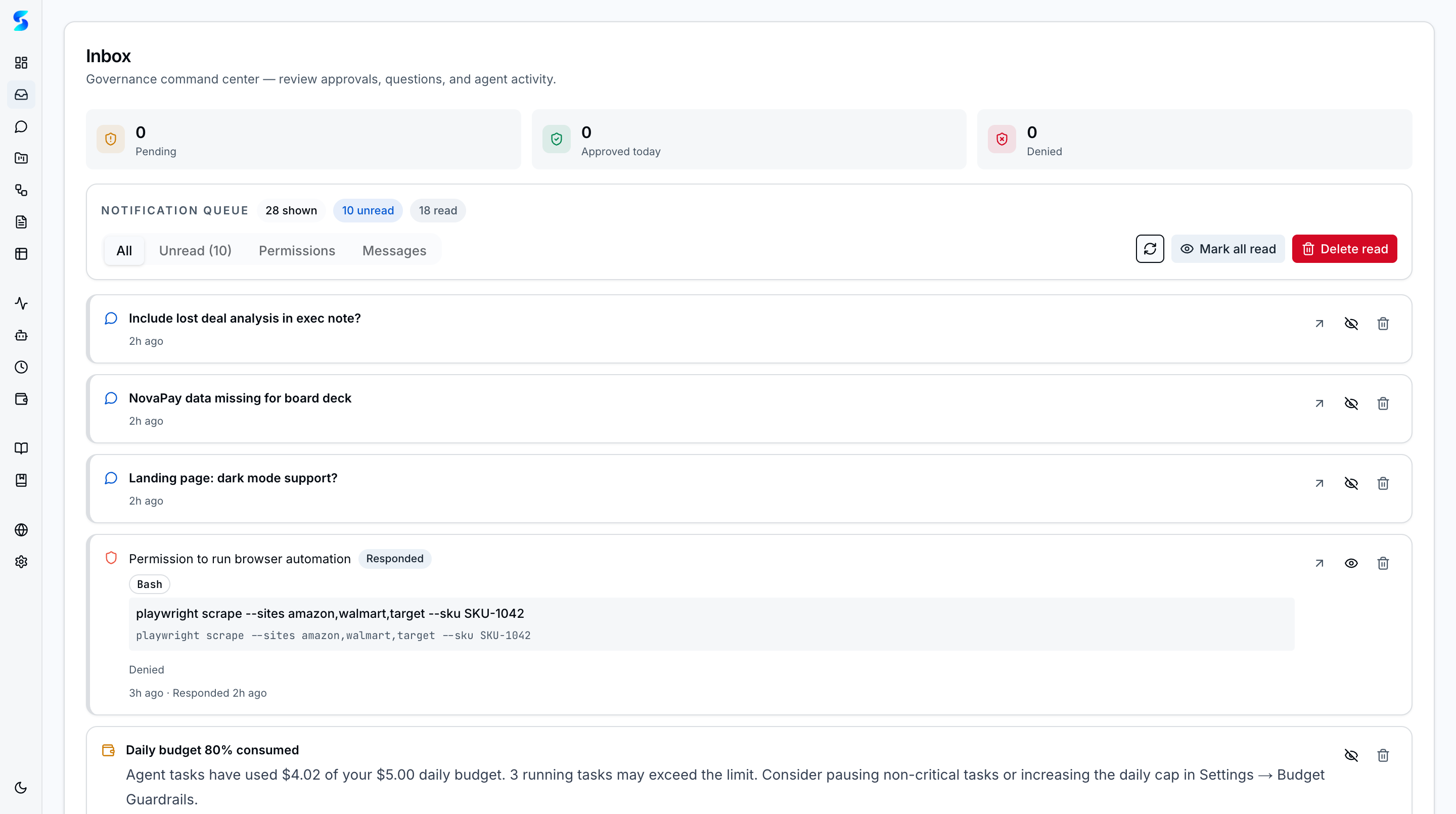
The inbox is the operator-facing governance surface for Stagent. It consolidates permission requests, agent messages, completions, and failures into a single review queue so agents never act outside the trust boundary you set.
Key Concepts
- Mixed Feed — The default inbox view blends permissions, messages, completions, and failures into one triage surface with progressive disclosure.
- Focused Tabs — Operators can narrow to unread items, permission requests, or conversational messages when they need a tighter queue.
- Approval Controls — Permission cards expose
Allow Once,Always Allow, andDenyactions directly on the notification.Always Allowpatterns persist for future auto-approval. - Ambient Approval Toasts — Permission requests surface as edge-of-screen toasts on any page so you can approve or deny without navigating to the inbox.
- Agent Handoff Approvals — Governance gates for async agent-to-agent handoffs ensure operators approve delegation chains before work transfers between agents.
- Agent Questions — Agents can pause execution and ask for clarification. Your typed response is injected directly into the agent’s context so execution resumes with a clear human decision.
- Budget Alerts — Notifications fire at 80% and 100% of configured spend caps, giving operators time to adjust before work is blocked.
- Rich Content Rendering — Notification bodies render GitHub Flavored Markdown with code blocks, tables, lists, and links for detailed agent output.
- Batch Context Proposals — When workflows generate multiple context suggestions, operators can review and approve them as a batch instead of handling each one individually.
- Response History — Stagent preserves whether a request has been handled already, preventing duplicate decision-making.
Notification Types
| Type | Action Required | Description |
|---|---|---|
permission_required | Yes | Review a tool request and decide whether the agent can continue |
agent_message | Yes | Respond to a clarification or provide missing direction |
task_completed | No | Track successful completion and inspect the outcome |
task_failed | No | Triage failures and decide whether to retry or intervene |
How It Works
When a running task needs human input, Stagent creates an inbox item and waits for the response. That input might be a permission review, a direct answer to a question, or simply a signal that a run finished or failed.
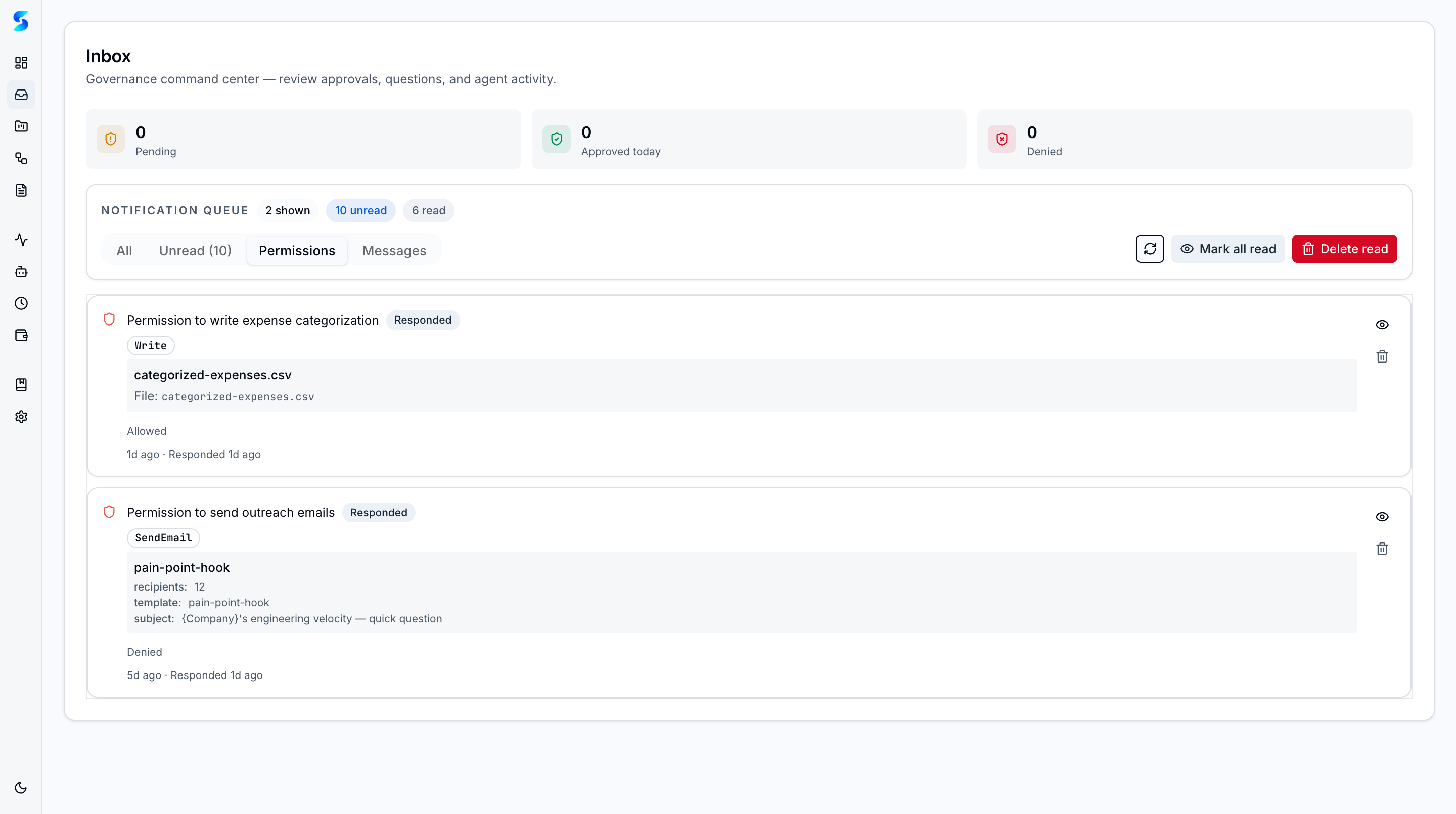
The permissions tab is the highest-signal view when you want to supervise active execution. It strips away the general feed and shows only the decisions that currently gate an agent.
Use Cases
Compliance-First Oversight
Product Team · Enforcing access policies across agent operations
Your compliance lead lives in the permissions tab. Read requests on safe paths get approved quickly, while outbound email or write operations require a closer review before the workflow can continue.
Interactive Research Session
Knowledge Worker · Collaborating with an agent on a financial analysis
The agent finds conflicting figures across two files and asks for clarification instead of guessing. You respond from the inbox, and the task resumes with a clear human decision attached to the record.
Learning to Trust AI
Non-Technical User · Gradually reducing oversight as confidence grows
You begin by reviewing every request manually. Over time, you promote safe actions to Always Allow, reducing noise without removing the audit trail or hiding what the system is doing.
Related Features
- Agent Integration — The canUseTool pattern that generates notifications
- Monitoring — See agent activity in real time
- Task Execution — Where task runs originate