Cost & Usage
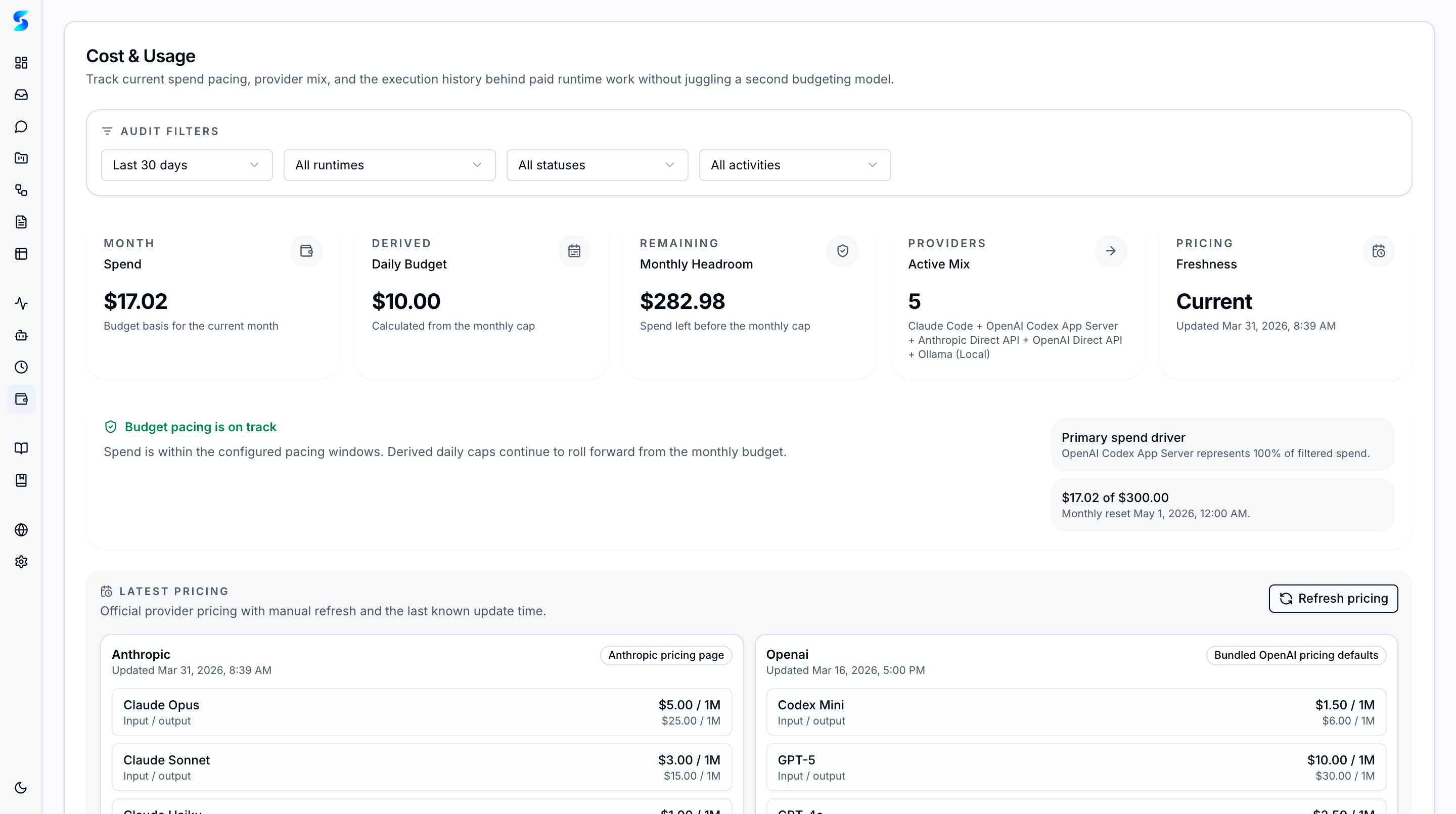
The cost and usage view gives operators a shared ledger across all five provider runtimes — Claude Agent SDK, Anthropic Direct API, Codex App Server, OpenAI Direct API, and Ollama (tracked at $0). Instead of inferring spend from provider-specific logs, Stagent surfaces spend, tokens, budget health, runtime share, and model concentration in one governed screen.
Key Concepts
- Spend Velocity — Compare 7-day and 30-day spend trends to see whether usage is accelerating or stabilizing.
- Token Velocity — Track token growth separately from dollars so teams can spot workload changes even when pricing differs by model.
- Runtime Breakdown — See how much filtered spend and token usage came from each of the five provider runtimes, including Ollama local work tracked at $0.
- Model Concentration — Identify which models are responsible for current cost concentration and which runs have unknown pricing states.
- Budget State — Budget health and blocked-state messaging make it explicit when new paid work is approaching or exceeding a configured cap.
How It Works
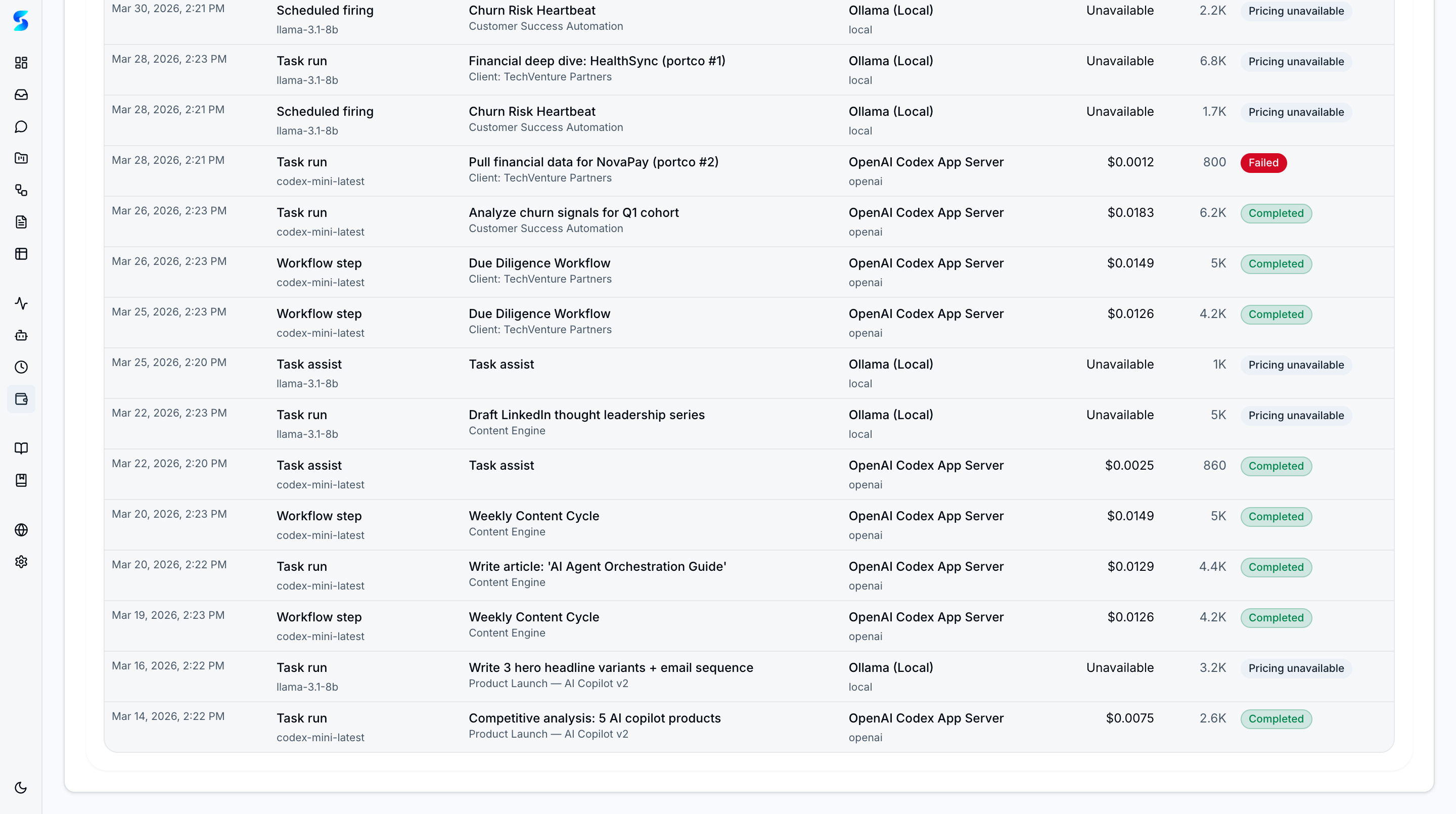
Every provider-calling activity writes to a normalized usage ledger instead of relying on runtime-specific log parsing. Five execution paths are tracked: task runs, workflow child tasks, schedule firings, task assist, and profile behavior tests.
The dashboard queries that shared ledger to build operator-facing views for:
- current-day and current-month spend/tokens
- 7-day and 30-day spend and token trends
- runtime and model concentration
- budget-state warnings and blocked windows
- audit rows linked back to the task, workflow, or schedule that created the usage
Budget Enforcement
- Project Budgets — Set spending limits per project with warnings when approaching the cap and blocks when exceeded.
- Global Budget Alerts — Organization-wide spending thresholds trigger notifications before costs escalate.
- Blocked-State Enforcement — Tasks are proactively blocked before they can exceed a budget, preventing silent overspend.
Because the ledger is shared across providers, teams can compare Claude and Codex usage directly without switching tools or reconciling two different accounting models.
Use Cases
Runtime Cost Review
Product Team · Comparing Claude and Codex operating cost in one place
You launch work across both runtimes during the week. The runtime breakdown shows which provider consumed most of the spend, while the model breakdown exposes the specific hotspots driving that split.
Budget Guardrail Triage
Operations Lead · Preventing silent overspend during scheduled automation
A provider-specific cap is nearly exhausted. The dashboard and settings surfaces make the warning explicit, so you can pause a schedule, switch runtime, or revise the budget before the next wave of work launches.
Audit a Spend Spike
Developer · Tracing cost growth back to a concrete execution path
Spend jumps after a workflow rollout. You use the audit view to confirm whether the increase came from scheduled firings, a task-assist pattern, or one model-heavy workflow branch.
Related Features
- Monitoring — Follow live execution before it settles into the usage ledger
- Settings — Configure budget guardrails and provider authentication
- Agent Integration — Understand the dual-runtime layer behind the ledger